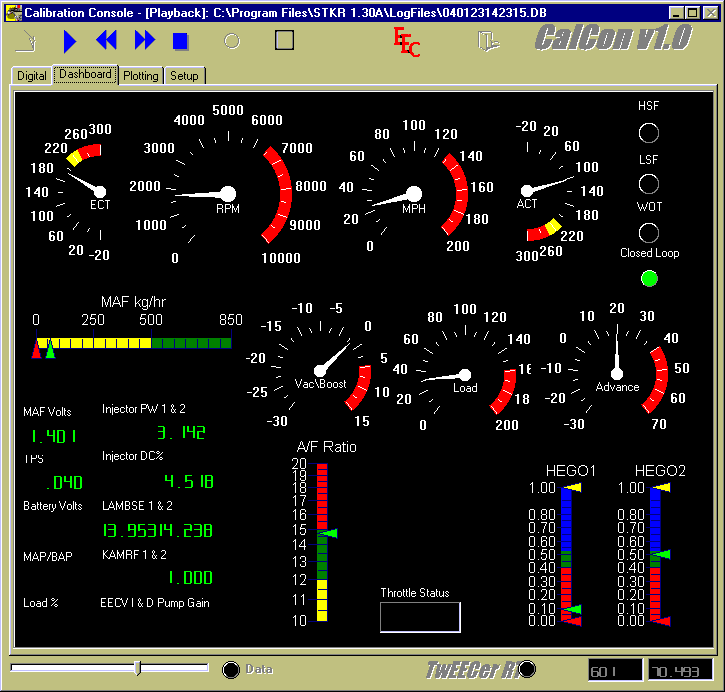
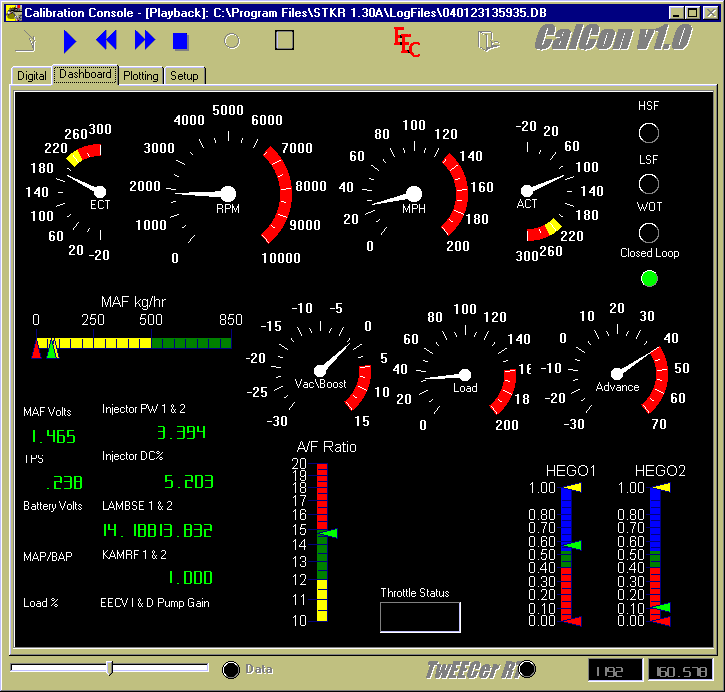
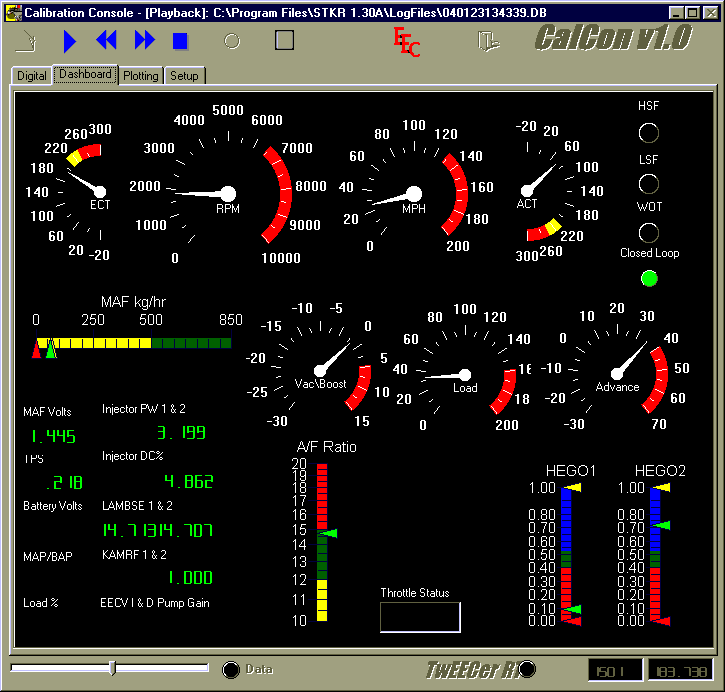
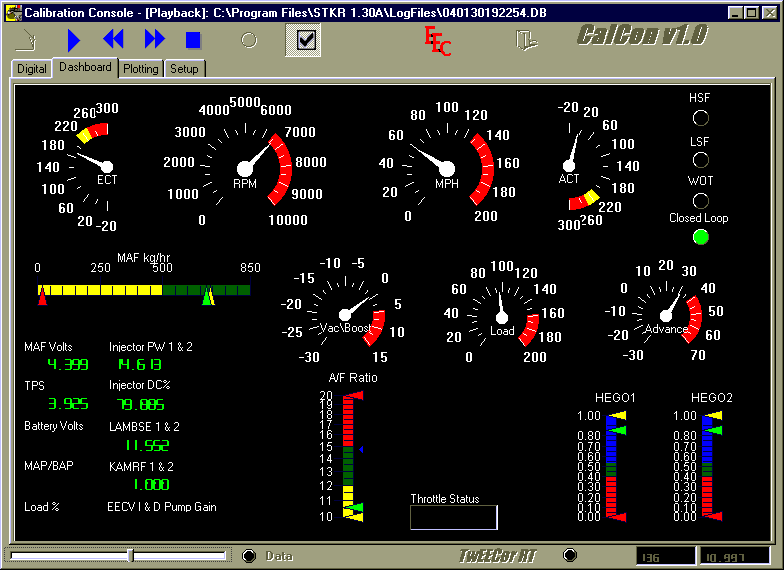
Looking for updates? Scroll down to free
update below.
Looking for Tuning
Services? (including 2010 and up Ecoboost) Scroll down to Tuning
Services below.
We sell the TwEECer RT, the
real time tuning tool/datalogger for the EEC-IV/V. They are $450US delivered (new low price), plus taxes for Canada
only. If you have questions, please e-mail us. Please use the button below to purchase:
IMPORTANT – For Canadian
clients only – if you use a US dollar credit card to fund your payment, click
on Conversion options and select Bill me in the currency listed on the seller's invoice. to be charged in USD.
Otherwise, if you leave Use PayPal's conversion process to complete my transaction using my
card's currency. selected,
your USD card will be charged in CDN, and you will pay currency conversion
charges twice, and we won’t be able to recover those extra charges.
More information on the
TwEECer can be found here:
You can download and install
the software at the link below to try it out, or if you have purchased a
TwEECer - no software CD is included when a TwEECer is shipped, you MUST
download it:
http://www.tweecer.com/downloads.htm
You need:
Borland Database Engine – Required
RT130 – Final Release
Here are the SHO NUT Performance-only updates you will
need. Simply replace/add to the
existing files after installing the above final release.
Data Directory:
http://www.shonutperformance.com/X2J.DAT
(free update, work in progress, last
update 7/17/06, thanks Adam Parrott, SHO NUT/Adam client-only additional
updates available, e-mail us
to request the latest version, current as of 9/10/08) For the X2J BE strategy, please scroll down to Tuning Services
below.
http://www.shonutperformance.com/D4U1.DAT
(free update, work in progress, last
update 5/13/06, thanks Adam Parrot, SHO NUT/Adam client only additional updates
and support coming soon) For the D4U1
BE strategy, please scroll down to Tuning Services below.
MAF Directory:
http://www.shonutperformance.com/MarkVIII80.MAF
We are working on a more
complete page of our own, but for now, here are some files to view (note that
any comment about datalogging only applies to the RT, and not to the base
model):
http://www.shonutperformance.com/X2J_Josh.bin – stock X2J binary (MTX SHO)
http://www.shonutperformance.com/D4U1_BB.bin – stock D4U1 binary (ATX SHO)
For the above 2, download the
latest software from the TwEECer site, install, and open the .bin files to look
at stock SHO settings.
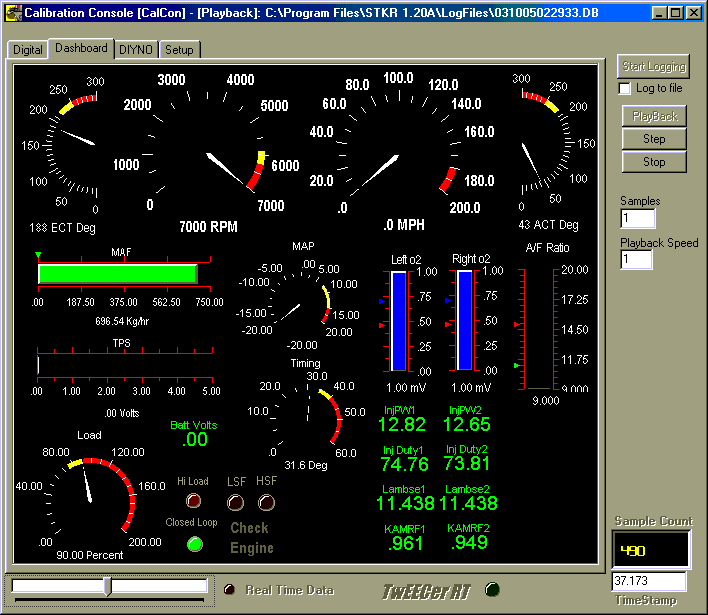
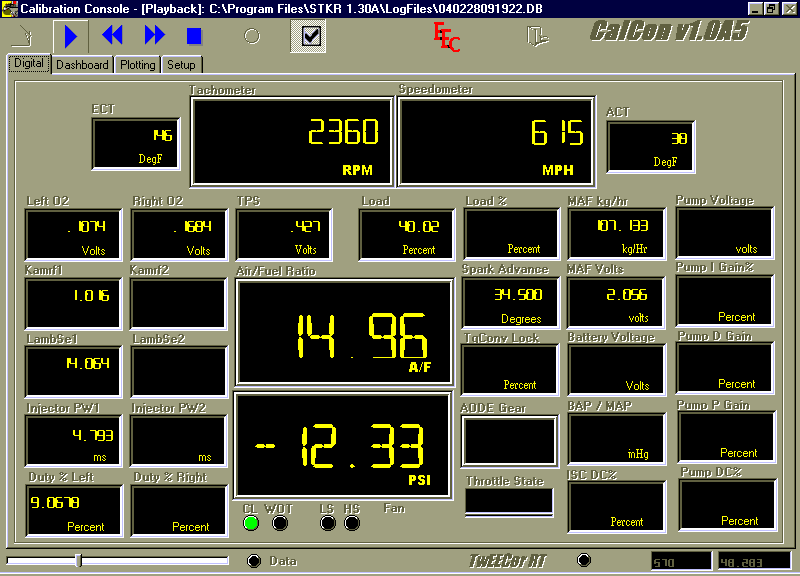
http://www.shonutperformance.com/X2J_money_shot.gif – early software datalogging shot, stock car
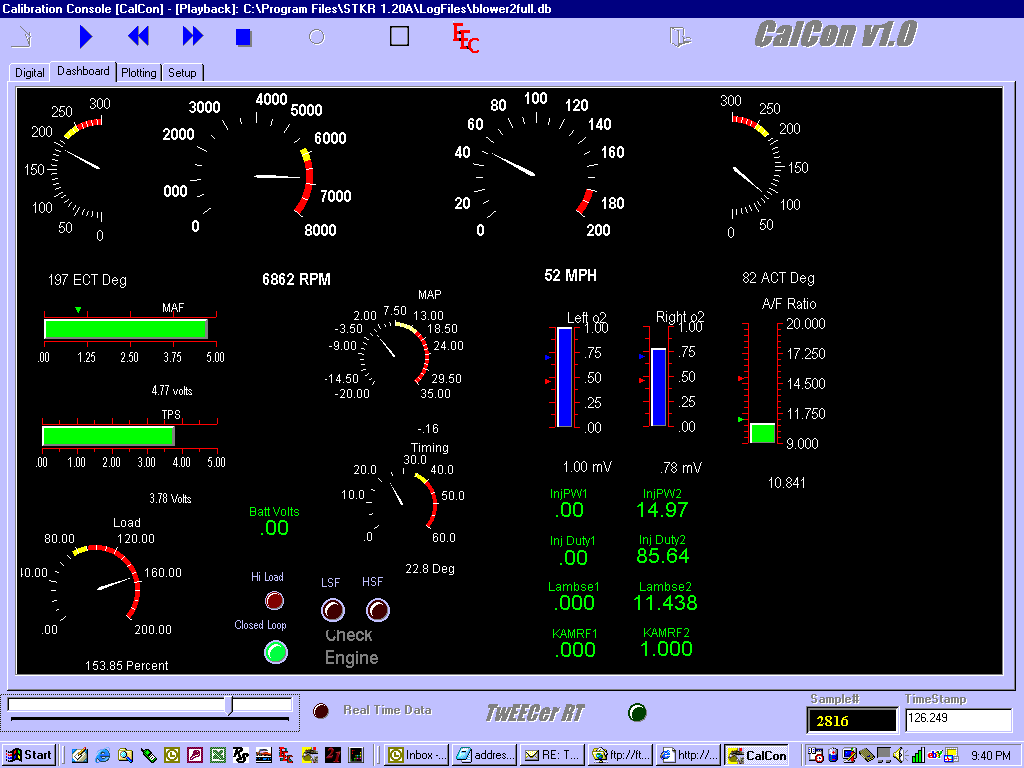
http://www.shonutperformance.com/blower_TwEECer_logging_screen_money_shot.gif - early software datalogging shot, blower
car
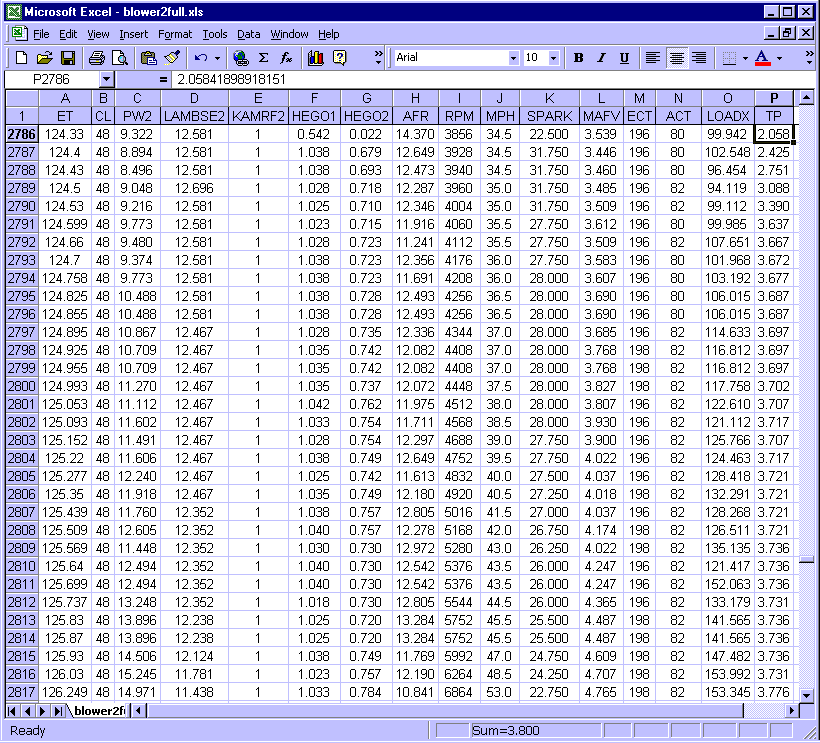
http://www.shonutperformance.com/blower_TwEECer_datalog_money_shot.gif
- exported log, blower car
http://www.shonutperformance.com/Stock_RT_Datalog.gif
- intermediate software datalogging shot, stock car
http://www.shonutperformance.com/Stock_RT_Datalog.PDF
- Excel chart of RT datalogged parameters
http://www.shonutperformance.com/Stock_RT_Datalog_Data.gif - exported datalogging shot, stock car
http://www.shonutperformance.com/load_comparison.PDF
- Excel chart comparison of secondaries always open and always closed for a
stock SHO
http://www.shonutperformance.com/Emissions_Run_1_+10_PT_Spark.gif
- emissions run with +10 spark (was actually closed throttle)
http://www.shonutperformance.com/Emissions_Run_1_+5_PT_Spark.gif - emissions run with +5 spark
http://www.shonutperformance.com/Emissions_Run_1_No_Changes.gif - emissions run
http://www.shonutperformance.com/TwEECer_MAP_WB.gif - intermediate software datalogging screen showing
MAP and WB
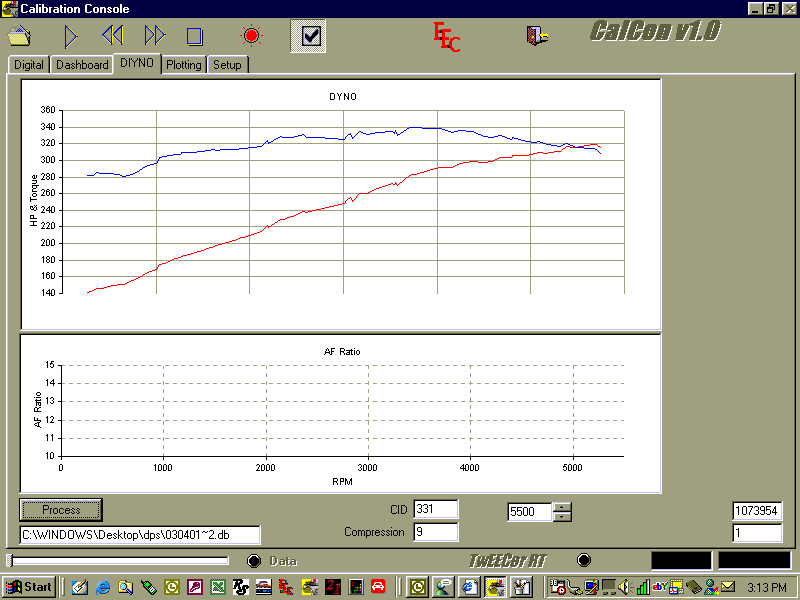
http://www.shonutperformance.com/DIYNO.gif - experimental DIYNO screen (not in released
software)
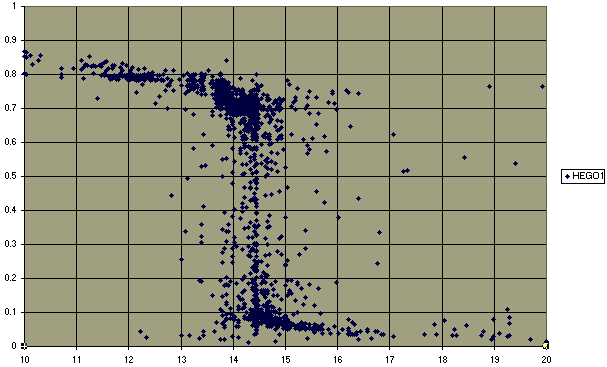
http://www.shonutperformance.com/AFR_vs_HEGO.gif - Excel plot of measured AFR vs HEGO voltage
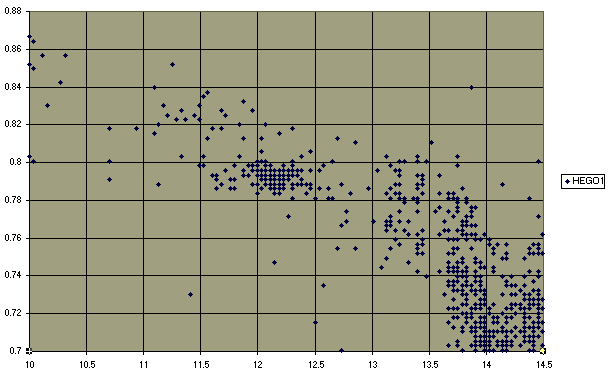
http://www.shonutperformance.com/AFR_vs_HEGO_blowup.gif - blow up of above
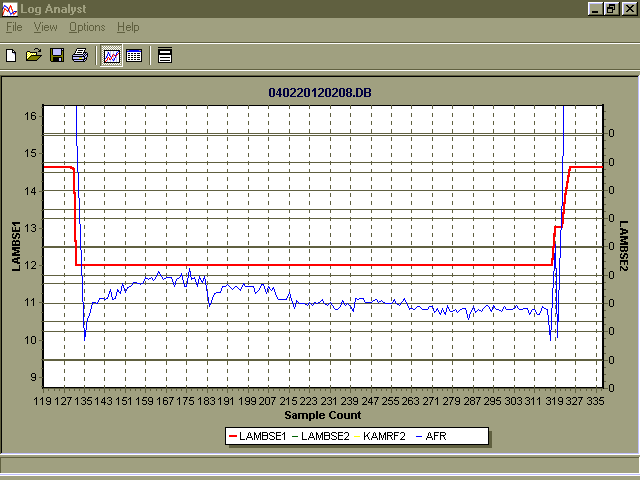
http://www.shonutperformance.com/LAMBSE_VS_AFR.gif - Log Analyst plot of Lambse (commanded
fueling) vs measured AFR (actual fuel)
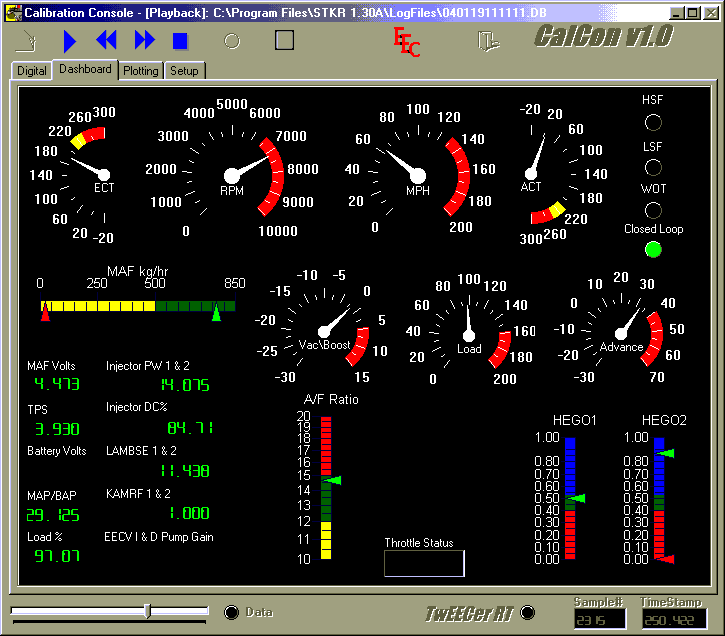
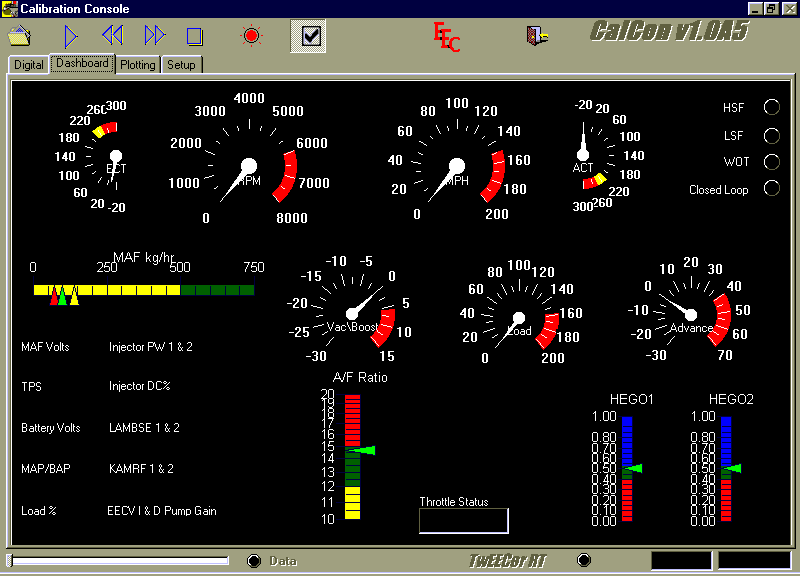
http://www.shonutperformance.com/CalConA5.gif - intermediate software datalogging screen
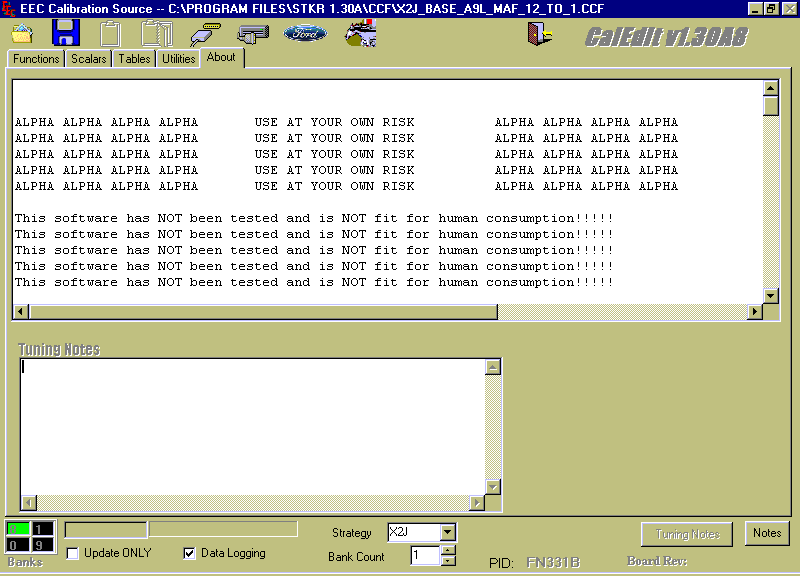
http://www.shonutperformance.com/CalEditA8.gif - intermediate software settings screen
http://www.shonutperformance.com/VSS_mult.gif - example of x10 VSS multiplier
http://www.shonutperformance.com/12_second_run.DB
- Sample Datalog, 12 second run in our blower SHO
http://www.shonutperformance.com/Josh_blower.CCF
- My current program for my blower car, last updated 11/16/06, T-trim with a
3.125” pulley, ACCEL yellow 48 lb/hr injectors, high-po FPR, Boost-a-pump,
Lightning 80 MAF, +40 cams - still needs lots of tuning, use Compare Utility in
CalEdit and compare screen by screen.
The TwEECer software will
also interface with an external datalogger to log external signals in the same
logfile as the logged EEC parameters, such as a wideband (WB) O2 sensor and a
MAP sensor, and now a G-force sensor on our Performance page ( http://www.plxdevices.com/Gsensor2Axis.htm
), or even just volts. These loggers are purchased from DataQ for $25 and plug
into older laptops via the COM port http://www.dataq.com/194.htm
(DB9 Serial COM for old laptops that actually have a COM port) or, for $50, for
newer laptops that only have a USB port http://www.dataq.com/products/startkit/di148.htm
(USB COM).
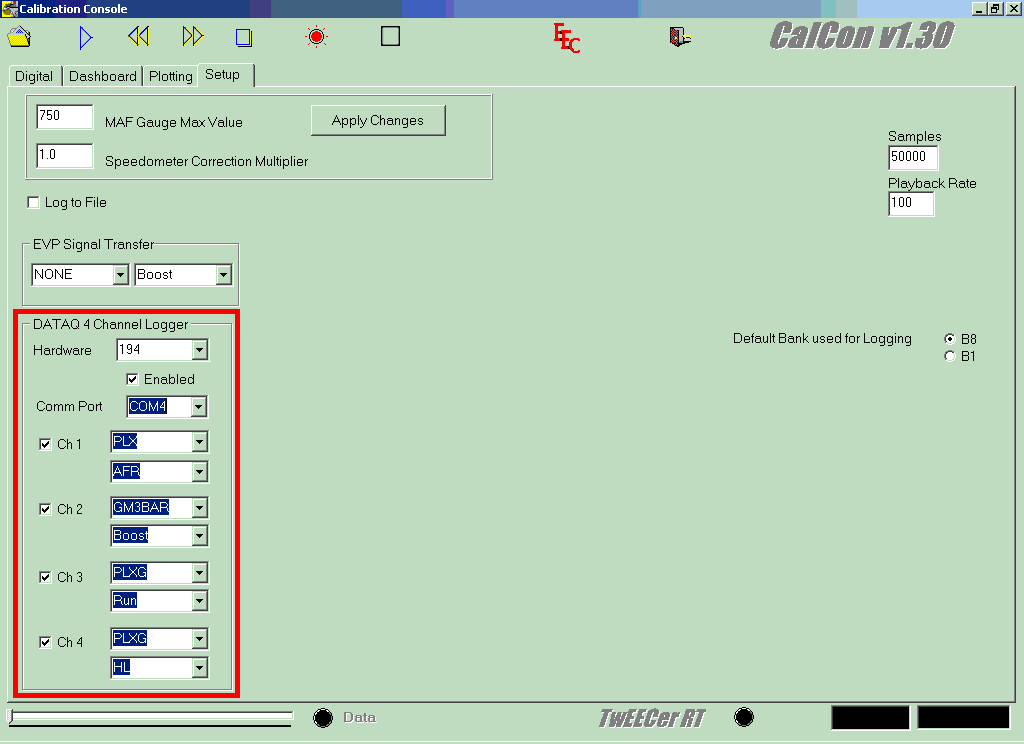
http://www.shonutperformance.com/DataQ_Settings.gif - correct settings for the 194 DataQ and a
PLX WB, GM 3 Bar MAP sensor, and PLX G-force sensor - simply don't check the
channels you don't have. Remember to use 148 if you have a DI-148 instead of
the DI-194 shown in the example. The first setting for each channel is the
transfer curve, and the 2nd setting is the display location. HL and Run are
only visible on the digital screen, and show up in the rightmost column of
numbers (the labels don't match). If you are having ground offset issues, or
need to make a custom transfer curve (such as the AutoMeter full sweep fuel
pressure gauge as ATM-FP is no longer hard-coded) then select an unused
transfer curve and edit the corresponding .DBF file in the Data directory of
STKR 1.30, such as ZEITRONX.DBF, using EA or Excel. Some transfer curves are
hard-coded and can't be edited (and thus their .DBF files don't appear in the
Data directory). Use the Volts transfer curve to read the voltage input to the
DataQ when checking for ground offsets, confirming the data points for a custom
curve, or just reading volts in the 0-10V range. NOTE – when enabling DataQ,
you may have to make the changes, then close CalCon BEFORE you try to log, and
then re-open before trying to log. If you don’t, sometimes you will get an
error when you try to log without saving the changes first by closing the
program.
For a PLX M-200/250-300 WB,
connect the black PLX wire to the ground terminal on the DataQ (as well as your
power ground), and connect the white wire to Channel 1 on the DataQ. For the
PLX SM-AFR, refer to this manual http://www.plxdevices.com/InstallationInstructions/SM-AFRUsersGuide.pdf
page 3, and GND goes to the ground on the DataQ, while WB goes to Channel 1 on
the DataQ.
NOTE – do NOT install the
DataQ software unless you need to use it for looking at signals other than what
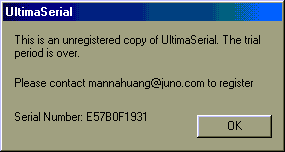
comes from your WB. Doing so will
over-write the CalCon UltimaSerial drivers with trial ones, so that you get
this message - http://www.shonutperformance.com/UltimaSerial.gif
If you have done this,
download this update and install the two .exe’s inside in order:
http://www.shonutperformance.com/UltimaSerialUpdate.zip
We also use and recommend the
EEC Analyzer software – this software will analyze your TwEECer logs,
MAF curve, injector settings, ISC settings, and help you determine the correct
injector settings, give you a corrected MAF curve (based on either KAMRF or WB
feedback), and MUCH MUCH more. It does
all the math and mental work of getting your tune accurate, and allows you to
concentrate on tuning. Even if you
don’t buy it right away, it has very well written explanations of injector
settings, MAF curve settings etc. etc. etc.
VERY well worth the purchase price.
We also use and recommend the
Binary Editor (BE) software – this software is used to read and write to
the TwEECer and is more user-friendly and offers more features than the
CalEdit/CalCon software included with the TwEECer. We offer support for the SHO for BE via Adam Marrer of POPS
Racing (see below). It is also VERY
well worth the purchase price. One
important advantage of BE is that you can directly interface with third party
hardware for datalogging, at the digital level, for error-free
datalogging. This eliminates all the
ground offset and calibration issues with doing a digital-to-analog-to-digital
conversion with a DataQ. For example,
you can directly interface with the PLX iMFD data stream via the PLX-iMFD-SM-USB
or PLX-iMFD-DL (See our Performance Page) that we sell for up to 32 additional external PLX channels (similar
interface exists for Innovate). As
well, you can also interface with the DataQ as with CalCon – all at the same
time.
For the X2J.cry and D4U1.cry
strategies for BE, please see below.
We recommend the following
for tuning services, both local (dyno) and remote, for any Ford car, including the V6, V8 and EcoBoost cars/trucks:
Adam Marrer of POPSRACING
http://www.popsracing.com/tuning.html
585.802.6911
Adam Marrer has tuned nearly
a thousand vehicles, including SHO's.
We have been working closely with Adam Marrer to refine the V6
strategies for BE, so he comes highly recommended by us as a tuner who is able
to help people in a timely fashion.
Given the amount of work that Adam Marrer has put into the X2J strategy
for BE, INCLUDING detailed descriptions of/instructions for each setting and
numerous previously unknown settings, we have decided to make the BE Strategies
available as a paid service via Adam Marrer.
You can get the X2J.cry strategy for BE (and any subsequent
updates) directly from Adam, and the strategy must be registered by
Adam to be functional. A registration
is to one machine (not a VM machine), and includes any future updates. The fee schedule is as follows (this fee
represents a substantial discount compared to the usual charge for a BE
strategy from Adam Marrer):
Existing SHO NUT TwEECer
customers (including Midwest SHO, SHO Bros and SHO Source sales through SHO
NUT) for first-time TwEECer purchases prior to 5/12/10 $65
To pay this amount (the
payment goes directly to Adam Marrer), click here:
New SHO NUT TwEECer customers
(including SHO Source sales through SHO NUT) after 5/12/10 *or* people that
bought a TwEECer 2nd hand that was originally bought via SHO NUT $110
To pay this amount (the
payment goes directly to Adam Marrer), click here:
Once you have paid the fee,
please contact Adam Marrer at the contact info above to get your strategy and
get it registered to your computer for BE.
If you are not a SHO NUT
TwEECer customer, or are looking for a D4U1 strategy, or are looking for tuning other than the V6 SHO (inccindlug 2010 and up Ecoboost), please contact Adam
Marrer directly via the contact info above.
Use this chart for your PIP
filter setting (and RPM limits) - You'll need the latest X2J.DAT update from
above to use them properly. Rev limits
are now entered as tics, with this chart:
RPM tics
7000 1190
7100 1174
7200 1157
7300 1142
7400 1126
7500 1111
7600 1096
7700 1082
7800 1068
7900 1055
8000 1042
8100 1029
8200 1016
8300 1004
8400 992
8500 980
8600 969
8700 958
8800 947
8900 936
9000 926
9100 916
9200 906
9300 896
9400 887
9500 877
9600 868
9700 859
9800 850
9900 842
10000 833
If you want to print this,
click here, then print the resulting page: